Multi-caret editing
Type, delete and paste in many places at once. Add carets with Ctrl+click, or add a caret on every line down to the clicked line with Ctrl+Shift+click.
 Text Editor Pro
Powerful text editing tool with syntax highlighting support for programming languages and scripts, multi-caret and synchronized editing, code/tag/text folding, over 700 options for customizing, over 100 ready made skins, AI Chat, spell checker, LSP support, image/PDF view, Markdown/RTF/SVG preview, character map, numerical unit convert tool, text compare, JSON/SQL/XML formatter, JSON/XML converter, SVG optimizer, support for multiple directories (also SFTP) and search results, etc.
Free for any use · All downloads and add-ons
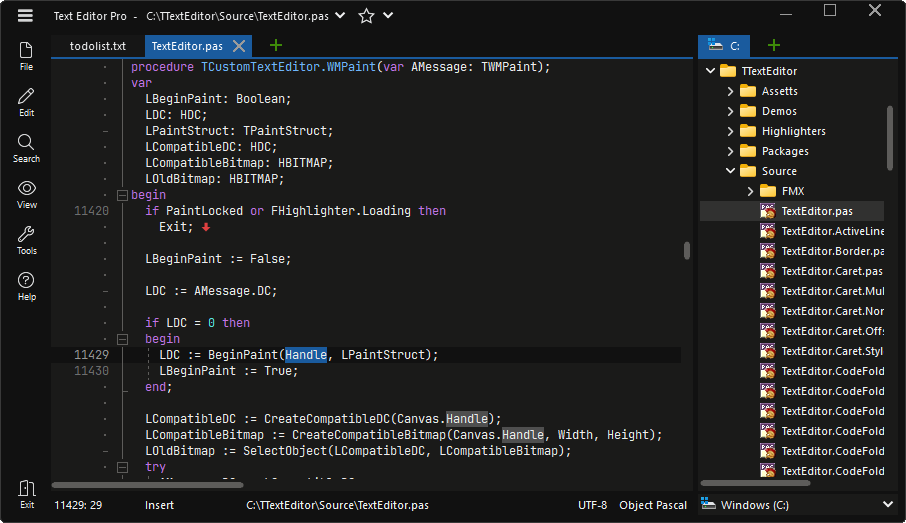
Multi-caret and synchronized editing, folding, completion, bookmarks, macros and text operations.
Type, delete and paste in many places at once. Add carets with Ctrl+click, or add a caret on every line down to the clicked line with Ctrl+Shift+click.
Edit every occurrence of a word at once, in the whole document or inside a selection, with optional case matching.
Column selection mode from the menu or by holding Alt. Selection extras include triple-click rows and highlighting of similar terms.
Collapse code blocks, markup tags, multiline comments or plain text. Fold everything, or only what is above or below the caret.
Auto-invoked completion from highlighter keywords and the words of your document, plus your own snippets that can be added, cloned and edited.
Brackets and tags are highlighted and reachable with Go to matching pair, and closing brackets can be completed automatically. Unmatched pairs are marked.
Numbered bookmarks, caret bookmarks and Go to last edit position, with a filterable bookmark list. Bookmarks are remembered for each file.
Record, pause and play back keystrokes, or repeat a macro until the end of the file. Save macros and reopen them later.
A minimap that shows bookmarks, search results and the selection, a ruler, line numbers, word wrap and a right margin with optional automatic line break.
Sort ascending, descending or randomly, with natural sort order. Toggle case, trim, split, join and wrap lines, and convert tabs, spaces and line breaks.
Date and time, GUIDs, hex colors, HTML and XML tags, line and block comments, and 30 control characters such as NBSP and zero-width space.
Clipboard history, copy with line numbers and automatic highlighter detection for pasted text.
Hunspell-based spell checking with next and previous error, add to dictionary and four underline styles.
Headings, emphasis, links, images, code blocks, bullet, numbered and task lists, block quotes and an insert table dialog.
Auto save, backups with a counter or date and time, group undo and undo after save.
Show line breaks, control characters, non-breaking and zero-width spaces. Zoom the editor in and out or set a default zoom percentage.
Search and replace in the file and in all open files, search in directories, and navigation in the file.
Normal, extended, regular expression and wildcard search, with search on typing, whole words, in selection, ignore comments and a search map of all matches.
Find two words that appear within a minimum and maximum distance of each other, in either order.
Replace next or all with a prompt, in the current file or across all open files.
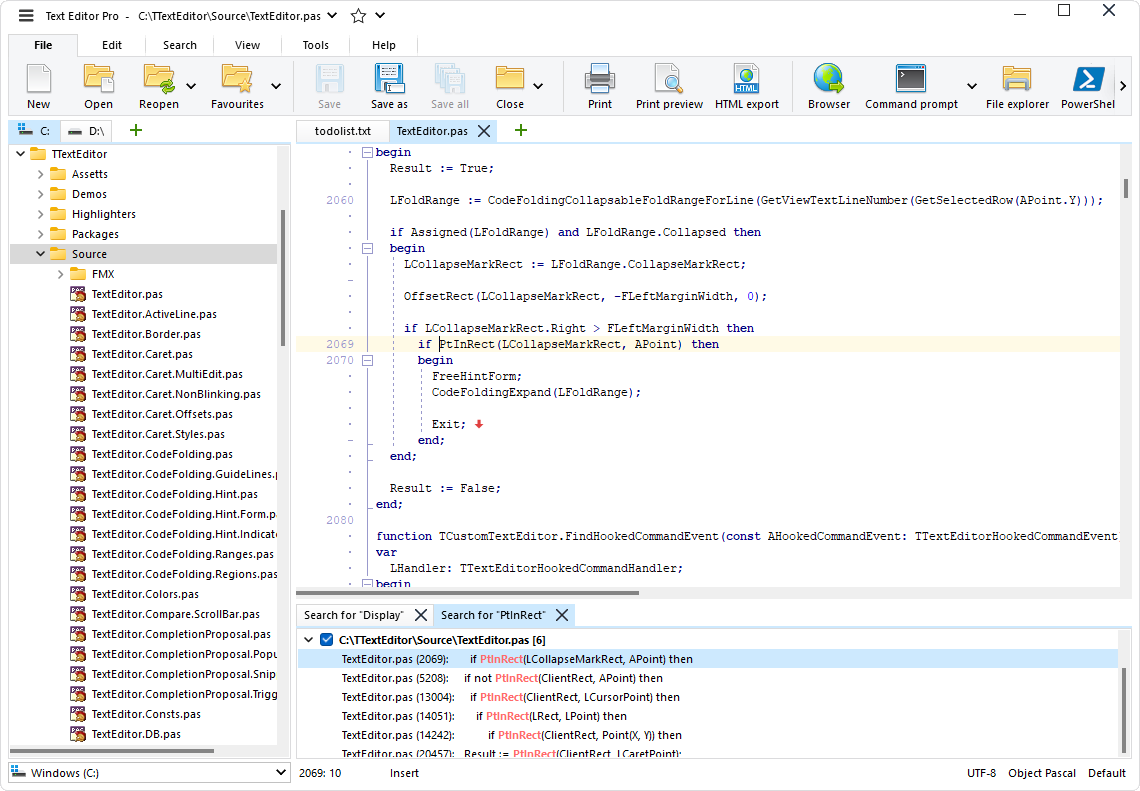
Search directories with file masks and saved search profiles. Results are grouped by file, and each search can keep its own results tab.
Detect blocks of identical lines shared by the open files or by the files of directories, with a minimum block size and options to ignore case and blanks.
Find files by name from the selected directory and all of its subdirectories.
Shows the drive and folders of the file, and optionally the headings of Markdown files and the routines and types of Object Pascal files.
Go to line, to the matching pair, to the last edit position, or to a definition through a language server. Ctrl+click opens links in text and Markdown files.
Split an editor horizontally or vertically, or lay out files in two or three columns with synchronized scrolling. Full-screen mode included.
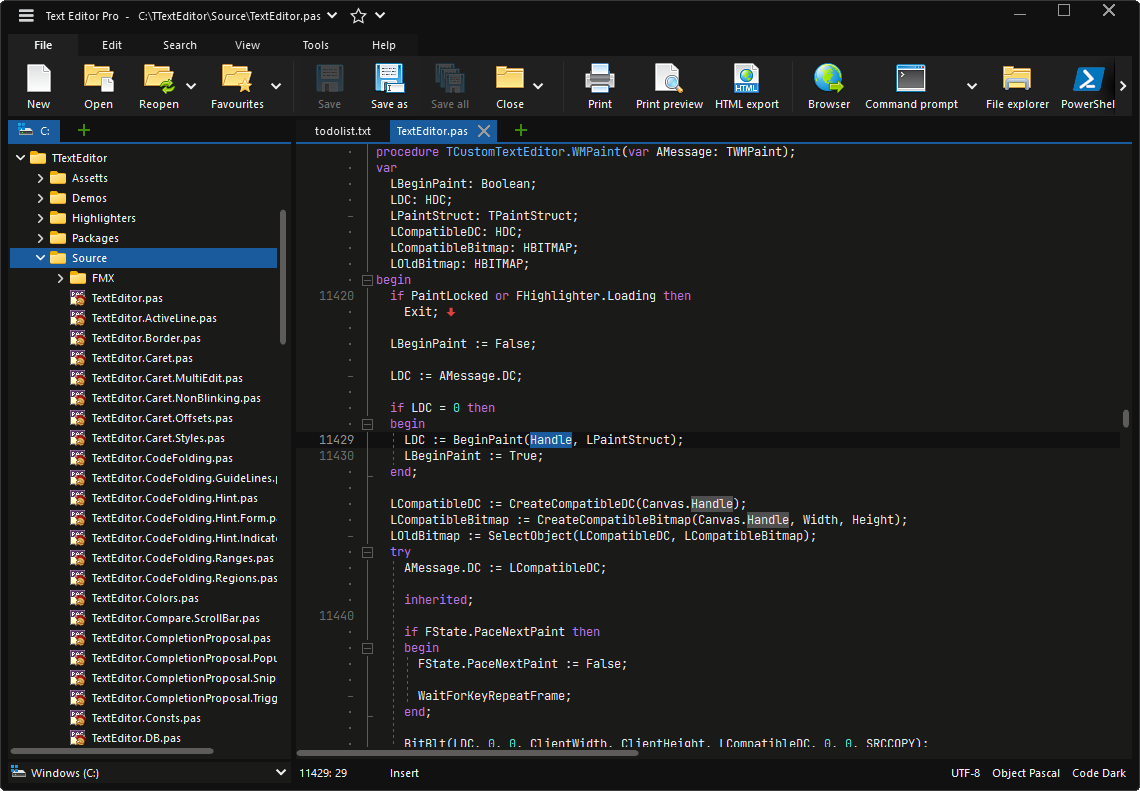
122 built-in highlighters and 25 color themes. All of them can be edited.
Highlighters for programming, scripting, markup, configuration and data languages. File types can be assigned to highlighters freely.
A separate highlighter with the keywords of each database.
Pick a theme from the title bar or status bar, or create your own in the theme editor.
Highlighters and themes are JSON. Switch to external files to adapt a highlighter or to add themes of your own.
Color lines that match your own patterns, for example in log files, and add extra keywords to a highlighter.
Missing a language? Request a highlighter.
AI Chat and AI Assist with cloud APIs or with local models.
A streaming chat as a window or a tab, with multiple saved conversations, syntax highlighted code blocks and optional display of the model’s thinking.
Each API keeps its own API key and model, and the model list can be updated straight from the service.
Support for OpenAI-compatible local servers such as Ollama and LM Studio. An API key is not required.
Select text and let the model explain, fix, improve or translate it, or give a custom instruction. An explanation opens in its own window; other results are shown next to the original to replace it, insert below it or copy.
Formulas in answers are rendered with the built-in TeX math renderer. A formula can be copied as an image or as TeX.
System prompt, maximum tokens, effort and timeouts, and temperature, top_p and penalties or the defaults of the model for them.
Language Server Protocol (LSP) support for code completion, hover information and navigation.
Configure any server by file extensions, command line and language ID, with root folder markers and configuration and initialization options as JSON.
Finds DelphiLSP, clangd, Pyright and typescript-language-server when they are installed in their default locations.
Code completion while you type, hover information and signature help for the call you are writing.
Jump to a definition with a command or Ctrl+click, also across files.
Servers can be restarted automatically after a crash and are stopped when idle. The traffic can be logged to the output.
Previews and views for Markdown, CSV, XML, PDF, images and binary files.
Live preview in CommonMark or Daring Fireball dialect with syntax highlighted code blocks, images and TeX math. Export to HTML or PDF.
Show csv, tsv and tab files in an editable grid. The delimiter is detected automatically and the first row can act as a header.
Browse and edit XML as a nested grid or navigate the document through a tree.
A PDFium-based viewer with thumbnails, zoom, rotation, text search and optional form field editing.
View images with zoom, fit and rotate.
Inspect and edit any file byte by byte, with a ruler and insert mode.
Preview of rich text and vector graphics next to the source.
Text compare, formatters, converters, encoders and other tools.
Side-by-side diff with next and previous difference, copying of lines between the files and options to ignore case and blanks.
Format or minify JSON and XML, validate XML, and format SQL with capitalization, formatting and indentation options.
Convert documents between formats in both directions.
Analyze, clean and repair HTML and XML with tidy-html5 and seven pages of options.
Shrink SVG files by optimizing path data, applying transforms to paths and removing comments, metadata and whitespace.
Turn an image into ASCII art, or convert a PNG to SVG.
Encode and decode the selection or the whole text.
Encrypt and decrypt text with AES in ECB, CBC or GCM mode and 128, 192 or 256-bit keys.
Distance, area, volume, mass, temperature, time, speed and numeral systems.
Browse the Unicode characters of any font and insert them with a double-click.
Translate text between 134 languages with Google Translate, in both directions.
Reads the text aloud with the Windows speech engine.
A 2x to 16x screen magnifier as a lens or rectangle.
Execute custom applications with variables such as the active file name, the selection or the caret position, capture their output, and open a command prompt in the folder of the file or PowerShell.
Run application commands from a command file or from the command line. More than 300 commands.
Directories, SFTP, tabs, encodings, printing and the command line.
Open as many directory tabs as you need, each with its own root and file mask. Create folders, rename and delete, or use the Explorer context menu.
Browse and edit files on remote servers over SFTP with password or private key authentication.
Favourite files in the title bar and a list of recently opened files.
Sort tabs by name, path or date and protect a tab from closing. Close all, all others, only modified or only unmodified.
Tabs, bookmarks and caret positions are restored when you start the editor again.
Files changed on disk are reloaded on request or automatically, and the caret can be moved to the end of the file after reload.
Partial loading and an automatic simple editor mode for very large files.
UTF-8 with or without BOM, UTF-16, UTF-7, ANSI and a long list of Windows, ISO, DOS, Mac and Asian code pages. Line breaks switch between CRLF, LF and CR.
Print with preview, headers and footers, or export the highlighted source as HTML.
Open files, search, combine files, run commands, add fonts without installing them and choose where settings are stored.
ZIP and 7-Zip packages run without installation, and the settings can be kept next to the program.
An option adds Text Editor Pro to the file context menu of Windows Explorer.
Options, skins, menu styles, keyboard shortcuts and languages.
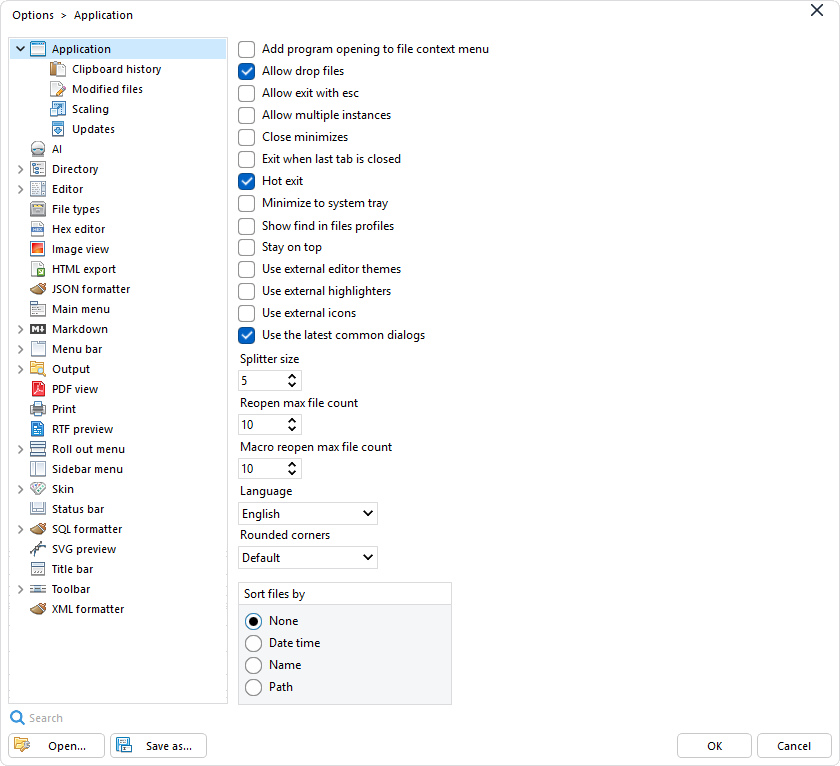
90 option pages, including the pages of the add-ons, with a search.
Save sets of options as profiles and switch between them.
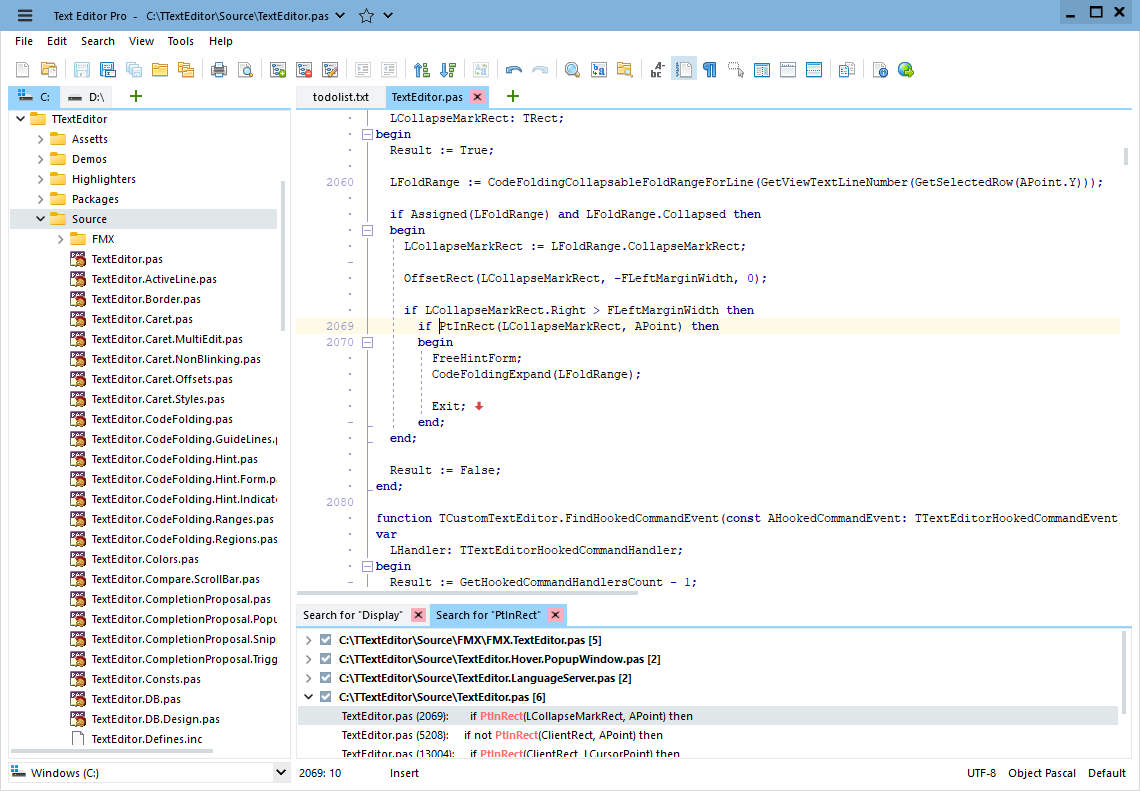
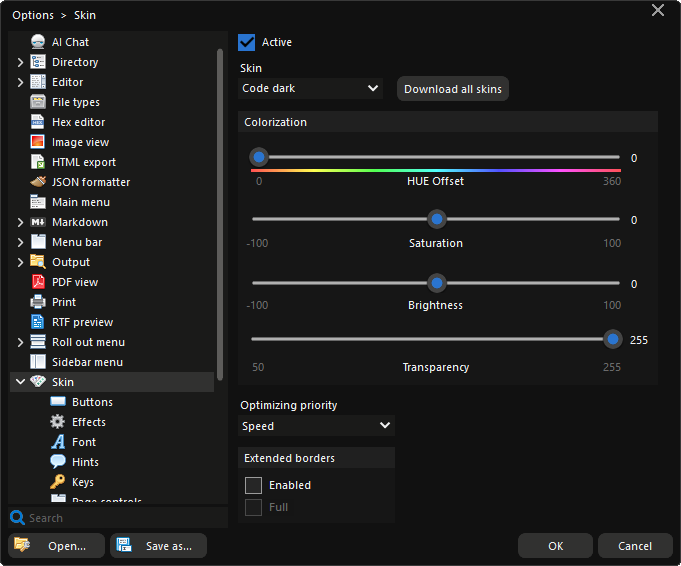
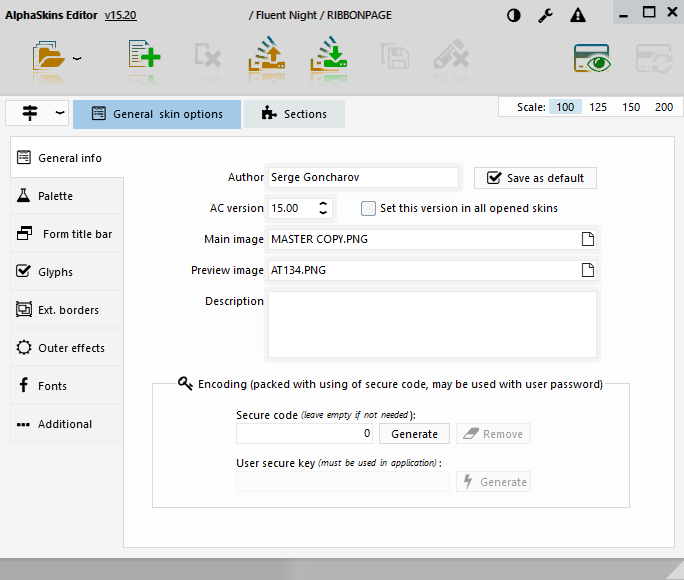
Seven skins are built in and more than a hundred can be downloaded for free. Tune hue, saturation and brightness, or build your own with the separate skin editor.
Classic main menu, tabbed menu bar, roll out menu, sidebar menu or a plain toolbar. The buttons of the menu bar, roll out menu and toolbar can be customized.
Put encoding, highlighter, editor theme, file list and favourites in the title bar, and choose from 16 status bar items.
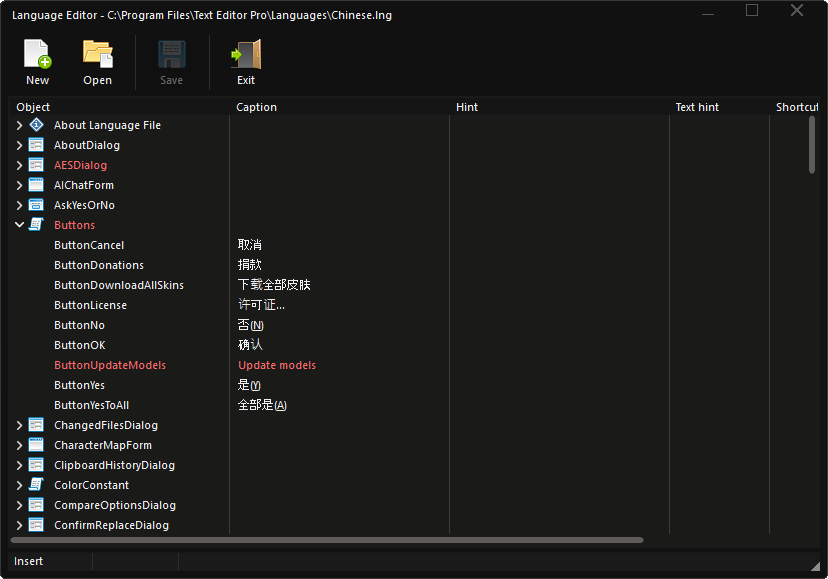
Assign your own shortcuts to commands in the language editor. The list of shortcuts opens with Ctrl+F1.
The user interface is available in 27 languages. Translations can be edited with the built-in language editor.
Automatic, percentage or pixels-per-inch scaling, rounded corners, stay on top and minimize to the system tray.
Free for use in any environment. See the license.